In today’s business world, your LinkedIn photo is often your first impression. It should reflect your confidence, professionalism, and attention to detail. In fact, profiles with a photo are 14x more likely to be viewed on LinkedIn.
Whether you’re updating your online presence or getting ready for a team session, these expert tips will help you prep like a pro—and get results that align with your brand. As a Chicago corporate headshot photographer, here’s what I recommend to every client before their session.
Choose the Right Clothing for Your Industry
Your clothing choices should align with your industry’s standards while reflecting your style. In corporate settings, opt for a suit or formal business attire. For creative fields, consider a more relaxed yet still professional look. Solid colors work best as they minimize distractions in the photograph. Avoid busy patterns, which can detract from the overall impact. The objective is to wear something that makes you feel confident and comfortable, so this will naturally project in your professional business portrait. Pay attention to the details, like ensuring your clothes are well-fitted and wrinkled-free, to convey a meticulous and polished appearance.


Select a Neutral Background
A neutral background is key to ensuring that all attention is directed towards you in your headshot. We opt for simple backdrops in shades like white, gray, or soft tones to maintain a clean and professional look. Such backgrounds offer versatility and can be easily adjusted in post-processing if needed. This approach works well for professional headshots for women and men, keeping the image uncluttered. We avoid backgrounds with busy patterns, intense colors, or distracting elements that can pull focus away from you. The goal is to create a seamless, professional image where you are the central point of interest.
Maintain a Genuine and Approachable Expression
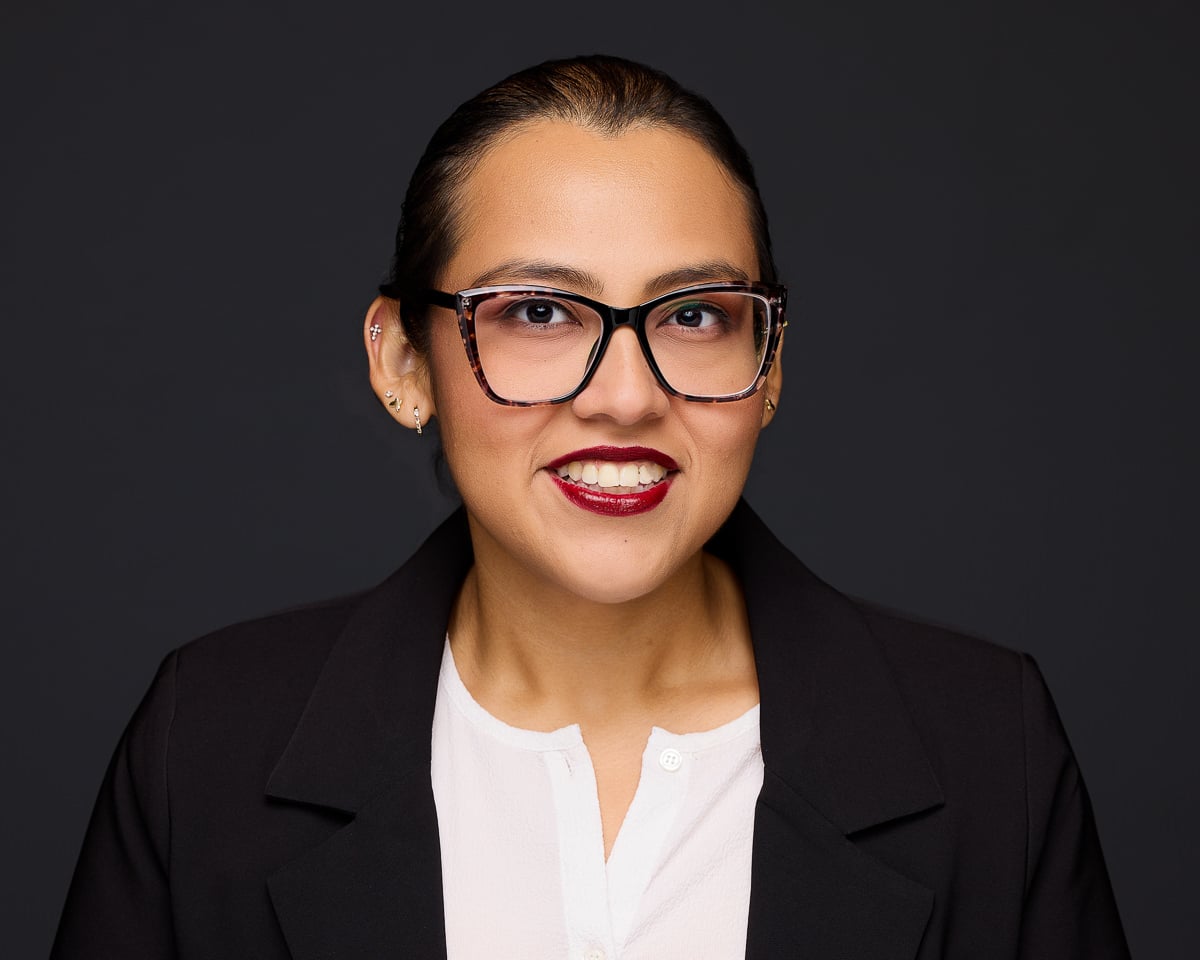
Your expression in a photo significantly impacts how you are perceived. A study of 800 profile pictures indicates that smiling in your business headshot makes you appear more likeable and influential.

Pay Attention to Your Posture and Body Language
Your posture and body language play a critical role in conveying confidence and professionalism in your headshot. Stand or sit with your back straight and shoulders relaxed to project a sense of ease and authority. Avoid slouching or any closed-off body language, such as crossing your arms, which can come across as defensive or unapproachable. Instead, keep your body open and angled slightly towards the camera. Subtle shifts, like tilting your head or positioning your chin slightly down, can make a significant difference in how engaging and friendly you appear. Practice your posture in front of a mirror to find the most flattering angles and poses that feel natural to you. This attention to body language ensures that your professional business portrait communicates both competence and approachability.
Ensure Your Hair and Makeup Are Neat and Professional
Hair and makeup are subtle yet significant aspects of a professional headshot. For women, opt for natural, understated makeup that enhances your features without overshadowing them. Foundation, concealer, and a touch of blush can create an even complexion, while neutral eyeshadows and a bit of mascara can add definition. For men, ensure your hair is well-groomed, and any facial hair is neatly trimmed. Use a bit of styling product to keep hair in place and avoid any flyaways. Regardless of gender, your hairstyle should align with your usual professional appearance. Attention to these details can enhance the overall polished look of your professional headshot, ensuring you make a strong and positive impression.


Frame Your Face Properly
The composition of your LinkedIn photo significantly affects how it is perceived. We will center your face in the frame and crop the image below your shoulders. This approach ensures your facial features are prominently displayed, keeping the focus on you. Avoid shots where your face occupies only a small part of the image, as this can dilute the impact. A well-framed photo highlights your professionalism and makes your profile stand out. Additionally, ensure that your posture is straight and your expression is genuine, as these elements contribute to a cohesive and compelling professional business headshot.
Editing for a Polished Finish
Editing your photo is crucial to achieving a polished, professional finish. We use photo editing software to make subtle adjustments that enhance your image without altering your natural look. We focus on adjusting the lighting to ensure even exposure and fine-tuning the contrast and color balance to bring out the best in your photo.
We’re also cautious with retouching tools. While removing minor blemishes or stray hairs is okay, we avoid over-editing, which can result in an artificial appearance. The goal is to enhance your features, not to create a version of yourself that looks overly airbrushed.
Cropping the image correctly can also make a significant difference. We’ll ensure that the frame is tight enough to keep the focus on your face while leaving a bit of space above your head and around your shoulders. This will help maintain a balanced and professional composition.
Finally, take a moment to review the edited photo on different devices to ensure it looks consistent across various screens. This step ensures that your professional business portrait maintains its quality and impact, whether viewed on a desktop or mobile device.
Upload A High-Resolution Image
The ideal size for your LinkedIn profile picture is 400 (w) x 400 (h) pixels. Larger file sizes are fine (although 8MB is the max), but avoid small, low-resolution images. If the picture looks a bit blurry when you upload it, you may want to opt for a larger size like 800×800.
The images we deliver are optimized for LinkedIn, so you can directly upload those headshots to your profile.
Let's Do This!
When you’re ready to work with Chicago’s leading professional headshot photography team, get in touch with us; we’ve got you covered!